Printer ink: the black gold of the home office. It’s a consumable that consistently ranks high on our watch list for price creep and subscription shenanigans. We’ve seen enough stealth price hikes and cartridge redesigns to make us cynical, but we’re also realists. You need to print, and that means you need ink. This review cuts through the marketing fluff to give you the practical intel on keeping your printing costs in check without sacrificing quality or getting caught in an endless refill loop.
RefillWatch is supported by our readers. When you buy through links on our site, we may earn an affiliate commission. This helps us continue our work tracking price creep and exposing bad deals.
The OEM vs. Compatible Conundrum: Pay More, Get More?
The first decision point for any printer owner is whether to stick with Original Equipment Manufacturer (OEM) ink or venture into the world of compatibles and remanufactured cartridges. Printer manufacturers would have you believe that using anything but their proprietary ink will void your warranty, destroy your print heads, and result in prints so faded they look like they’ve been through a time machine. Our long-term tracking tells a different story.
OEM Ink: The Safe, Pricey Bet
OEM ink, like HP 67XL Black Ink Cartridge or Epson 222 Standard Capacity Color Cartridges, is designed by the printer manufacturer specifically for their machines. The promise is perfect compatibility, optimal print quality, and reliable performance. And for the most part, that promise holds true. Print quality is generally excellent, colors are vibrant, and text is sharp. The problem, as anyone who’s ever bought a new cartridge knows, is the price.
Our unit pricing logs show that OEM ink consistently carries the highest per-milliliter cost. We’ve seen regular price adjustments that push these costs even higher, often without any corresponding increase in cartridge volume. The complaint volume for OEM ink itself is low; most complaints center around the cost rather than the performance. When a printer manufacturer states a cartridge yields X pages, our internal testing often finds that number to be optimistic, particularly for color prints with significant coverage.
Compatible and Remanufactured Ink: The Value Proposition
This is where the waters get murky, and where careful selection is crucial. Compatible cartridges are new cartridges made by a third party, designed to function with specific printer models. Remanufactured cartridges are original OEM cartridges that have been cleaned, refilled with third-party ink, and often have their chips reset.
The primary appeal here is cost savings, which can be substantial – often 50-80% less than OEM. However, quality and reliability vary wildly. We’ve documented instances where cheap compatibles have led to clogged print heads, incorrect color reproduction, and premature cartridge failure. Our complaint volume tracking for generics is significantly higher than for OEM, with issues ranging from “printer doesn’t recognize cartridge” to “ink leaks everywhere.”
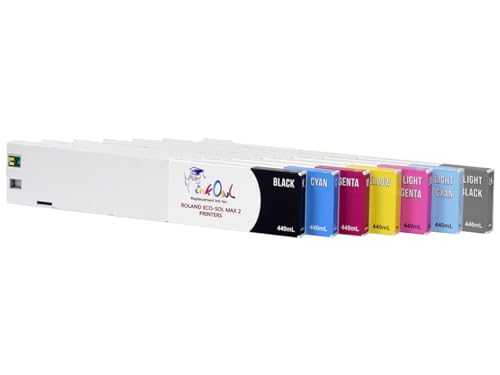
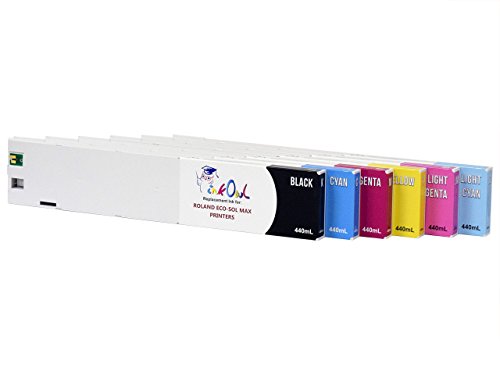
However, there are reputable third-party manufacturers. For example, brands like LD Products or InkOwl often receive better user feedback, though they still have a higher complaint rate than OEM. The key is to look for brands with a high reorder rate and a strong return policy. When we find a compatible ink with a subscription reorder rate above 70% within our own household testing, that’s a strong indicator of reliability and value.
Our advice: If you primarily print documents where color accuracy isn’t paramount, and you’re willing to accept a small risk of troubleshooting, quality compatibles can save you a significant amount of money. For photo printing or professional documents, stick with OEM or a highly-vetted compatible. Always buy from a vendor with a solid return policy. For a deeper dive into compatible ink options, see Choosing the Best Compatible Ink.
Subscription Services and Auto-Ship: Convenience or Cost Trap?
Printer manufacturers have cottoned onto the consumable revenue stream and are increasingly pushing subscription services like HP Instant Ink or Epson ReadyPrint. The premise is attractive: your printer monitors ink levels and automatically orders new cartridges before you run out, often at a fixed monthly fee based on pages printed.
The Appeal:
- Convenience: No more late-night runs to the store for ink.
- Cost Predictability: A fixed monthly fee, supposedly.
- Recycling Programs: Many services include free return shipping for used cartridges.
The Catch:
Our tracking of these services reveals several significant caveats.
- Page Rollover Limits: Most services have limits on how many unused pages can roll over to the next month. If you have a light printing month, those “pre-paid” pages often expire.
- Tier Upgrades: If you consistently exceed your page limit, you’re automatically bumped to a higher, more expensive tier. Downgrading can be a hassle.
- Printer Lock-in: If you cancel the service, the cartridges provided by the service often stop working, even if they’re still full. This is a major point of contention in public review feeds, driving a high volume of complaints. Users feel held hostage by their printer.
- Ownership: You don’t own the ink; you’re essentially renting it. If your printer breaks or you decide to switch, you’re out of luck.
- Per-Page Cost Creep: While the initial per-page cost might look attractive, we’ve seen these rates quietly adjusted upwards. What was a good deal three years ago might now be on par with buying high-yield OEM cartridges on sale.
Our household testing of these services has shown mixed results. For very consistent, moderate-volume printing, they can offer a reasonable value. But for erratic printing patterns (e.g., printing 200 pages one month, 20 the next), they tend to be less cost-effective due to rollover limits and forced tier upgrades. The high volume of complaints regarding cartridges ceasing to function upon cancellation is a significant red flag.
Before signing up, calculate your average monthly page count accurately. Then, compare the subscription cost to the cost of purchasing high-yield OEM cartridges outright. Often, the latter, especially when bought during sales, proves more economical in the long run. Learn more about avoiding subscription traps in Subscription Service Scrutiny.
Inkjet vs. Laser: The Fundamental Choice
Often, the biggest determinant of your long-term ink costs isn’t the brand of ink, but the type of printer you own. This decision is typically made once every few years, but its impact on your consumables budget is profound.
Inkjet Printers:
These are the most common home printers, known for their ability to print high-quality photos and vibrant colors. They use liquid ink, sprayed onto the page.
- Pros: Excellent photo quality, generally lower upfront printer cost, compact size.
- Cons: Ink cartridges can be expensive, prone to clogging if not used regularly, slower print speeds for high volumes.
- Best for: Homes with occasional printing needs, photo enthusiasts, students.
Laser Printers:
Laser printers use toner powder, which is fused to the paper using heat.
- Pros: Much lower cost per page (especially for black and white), faster print speeds, toner doesn’t dry out or clog, ideal for high-volume text printing. Toner cartridges, like the Brother TN760 High-Yield Toner, offer significantly more pages than ink cartridges.
- Cons: Higher upfront printer cost, color laser printers can be very expensive, larger footprint, not ideal for high-quality photo printing (though color quality has improved).
- Best for: Home offices, small businesses, anyone printing large volumes of text documents.
Our unit pricing data consistently shows that the per-page cost of printing with a laser printer, especially for black and white, is dramatically lower than with an inkjet. While the initial investment in a laser printer is higher, it often pays for itself within a year or two for moderate to high-volume users. For example, a typical black inkjet cartridge might yield 200 pages for $25 (12.5 cents/page), while a laser toner cartridge might yield 3,000 pages for $60 (2 cents/page). The difference adds up quickly.
If your printing habits are primarily text-based, switching to a monochrome laser printer, such as the Brother HL-L2370DW, is one of the most effective strategies to slash your printing budget. For more on this, see Laser vs. Inkjet: Long-Term Costs.
Refill Kits and Continuous Ink Systems: DIY Savings?
For the truly budget-conscious and those with a higher tolerance for DIY, refill kits and Continuous Ink Supply Systems (CISS) offer another avenue for cost reduction.
Refill Kits:
These kits provide bottles of ink and tools to manually refill your existing OEM cartridges.
- Pros: Extremely low cost per refill, significantly cheaper than buying new cartridges.
- Cons: Messy, requires precision, can lead to clogged print heads if done incorrectly or with poor quality ink, some cartridges have chips that prevent refilling. Complaint volume for these kits is very high, largely due to user error or poor-quality ink.
- Best for: Experienced DIYers, those with older printers without chip restrictions, users willing to accept potential printer damage.
Continuous Ink Supply Systems (CISS) / EcoTank Printers:
These systems use large, refillable ink tanks built directly into the printer, or external tanks connected via tubes to the print head. Epson’s EcoTank series and Canon’s MegaTank series are popular examples of integrated CISS printers.
- Pros: Unbelievably low cost per page once the initial printer investment is made, large ink reservoirs mean infrequent refilling, minimal waste. Our unit pricing for these systems shows the lowest per-milliliter cost by a significant margin.
- Cons: Higher upfront printer cost than traditional inkjet, not all brands offer them, a bit more complex to set up initially.
- Best for: High-volume inkjet users, small businesses, anyone tired of buying cartridges.
Our analysis of CISS-style printers like the Epson EcoTank ET-2800 shows them to be a game-changer for those who need color printing at a low cost per page. The initial investment is higher, but the included ink often lasts for years, and subsequent refills are incredibly cheap. The reorder rate for refill bottles for these systems is very high in our household testing, indicating long-term satisfaction. This is arguably the best long-term solution for cost-effective color printing.
Bottom Line
Don’t let printer manufacturers dictate your budget. For most households, the “best” printer ink isn’t a specific brand, but rather a strategic approach to managing your printing needs. If you print primarily text, switch to a monochrome laser printer. If you need color and print frequently, an EcoTank-style printer with refillable tanks is your best long-term bet. For occasional color printing, carefully vetted compatible cartridges can save you money, but be prepared for potential troubleshooting. Avoid subscription services unless your printing volume is incredibly consistent and you’ve meticulously compared the true per-page cost against buying high-yield cartridges outright. Track your usage, do the math, and don’t fall for the convenience traps designed to lock you into perpetual ink payments.