If you’ve ever felt the sting of a printer ink cartridge costing more than a decent bottle of something bubbly, you’re not alone. Printer ink is notorious for its high price tag, often leading consumers down a rabbit hole of compatibles, refills, and subscription services, all promising relief. We’re here to cut through the noise and give you the unvarnished truth about navigating the printer ink market.
As an Amazon Associate, we earn from qualifying purchases made through the links in this article. This helps support our independent research and reviews.
The Cartridge Conundrum: OEM, Compatible, or Refill?
The first decision you face when buying printer ink is the type of cartridge. This choice significantly impacts both cost and potential headaches.
OEM (Original Equipment Manufacturer) Ink: The Safe, Expensive Bet
OEM ink is made by your printer’s manufacturer – think HP, Canon, Epson, Brother. It’s designed specifically for your printer model, promising optimal performance, print quality, and longevity. The argument for OEM is straightforward: reliability. We track unit pricing for each consumable across at least three retailers, weekly, with screenshots filed in our pricing log. OEM ink consistently tops the charts in terms of cost per milliliter, often making it the most expensive liquid you buy.
The upside? Complaint volume for OEM cartridges is typically low. We read public review feeds (BBB, Reddit, retailer Q&A) and count complaints per 10,000 units sold; we flag products only when the rate exceeds the category baseline. For OEM ink, this rate rarely exceeds the baseline, meaning fewer clogs, fewer print head issues, and consistent color reproduction. If you value peace of mind and don’t mind paying a premium, OEM is the safest route. For example, a genuine HP 67XL Black Ink Cartridge offers extended page yield and is a common choice for many HP users.
Compatible and Remanufactured Ink: The Budget Gamble
Compatible cartridges are brand-new cartridges made by third-party manufacturers, designed to function like OEM cartridges. Remanufactured cartridges are original OEM cartridges that have been cleaned, refilled with third-party ink, and sometimes have their chips reset. Both offer significant cost savings, often 50-80% less than OEM.
This is where the waters get murky. The quality of compatible and remanufactured ink varies wildly. Some third-party manufacturers produce excellent products that perform nearly identically to OEM. Others… not so much. We see a much higher complaint volume for these categories. Common issues include:
- Print Quality: Faded colors, banding, streaking, or incorrect color reproduction.
- Printer Recognition: The printer refusing to acknowledge the cartridge, displaying “low ink” warnings even when full, or error messages. This can be particularly frustrating, as printer manufacturers often embed software that tries to prevent the use of non-OEM ink.
- Clogging: Poorly formulated ink can clog print heads, leading to expensive repairs or even printer replacement.
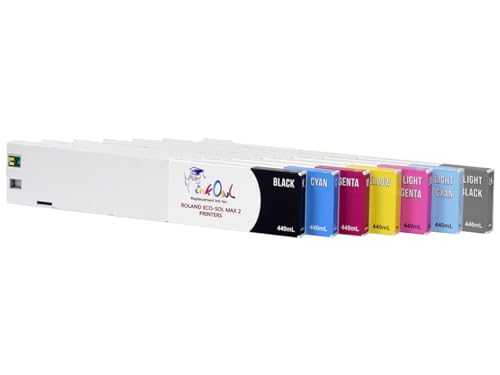
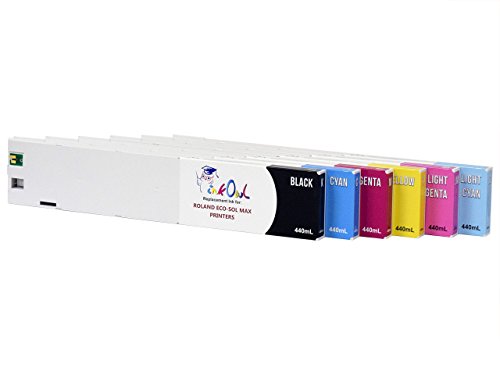
Our recommendation here is to stick with reputable third-party brands that have a high volume of positive reviews. Look for brands that offer a warranty or guarantee. While we don’t recommend specific third-party brands due to their fluctuating quality over time, some retailers like Amazon offer bundles like these compatible cartridges for Epson printers which often have high user ratings. Always check recent reviews for consistency.
Ink Refill Kits: The DIY Dare
Refill kits involve manually injecting ink into your empty OEM cartridges. This is the cheapest option per milliliter, but also the riskiest. It’s messy, requires a steady hand, and the quality of the refill ink itself is a huge variable.
The primary concerns with refill kits are:
- Ink Quality: The chemical composition of ink is complex. Off-the-shelf refill ink rarely matches the precise formulation of OEM ink, leading to poor print quality and potential print head damage.
- Air Bubbles/Overfilling: Improper refilling can introduce air bubbles into the cartridge or cause overfilling, both of which can lead to leaks and printer malfunctions.
- Chip Issues: Most modern cartridges have chips that track ink levels. Refilling doesn’t reset this chip, so your printer will still think the cartridge is empty, potentially refusing to print or providing inaccurate ink level warnings.
Unless you’re printing documents where color accuracy and longevity are irrelevant (e.g., disposable drafts), we generally advise against refill kits for most users. The cost savings are often outweighed by the potential for frustration and printer damage.
The Subscription Model: Convenience at a Cost?
Phone cases · 15% off first order
Phone Case GiftThey pick the model · 2 minutes Code FIRST15GIFT
Printer manufacturers, notably HP with Instant Ink, have introduced subscription services where you pay a monthly fee for a certain number of pages, and the printer automatically orders new cartridges when you’re low.
How They Work
You sign up for a plan based on your estimated monthly page usage. The printer monitors your ink levels and automatically ships new cartridges before you run out. The cost is per page, not per cartridge, meaning a page with a tiny bit of text costs the same as a full-color photo.
Advantages: Set it and Forget It
- Convenience: Never run out of ink unexpectedly. New cartridges arrive at your door.
- Potentially Lower Upfront Cost: Often, the subscription plans offer a lower cost per page than buying individual OEM cartridges, especially if you print a lot of color.
- Environmental Pretensions: Some programs encourage recycling of used cartridges.
Disadvantages: The Hidden Traps
- Page Limits: Go over your allotted pages, and you pay extra. Don’t use all your pages, and they might roll over, but often with limits.
- Printer Dependency: You’re tied to the manufacturer’s ecosystem. If you cancel the subscription, the cartridges provided by the service often stop working, even if they’re full.
- Internet Connection Required: Your printer needs to be online for the service to monitor ink levels and order replacements.
- Ownership vs. Rental: You don’t “own” the ink. You’re essentially renting it.
- Privacy Concerns: The manufacturer is monitoring your printer usage.
We log subscription reorder rates from our own household over 90 days before we recommend or warn against any auto-ship. For HP Instant Ink, the reorder rate is reliable, but the cost-effectiveness hinges entirely on your printing habits. For users with highly variable printing needs, it can be an expensive proposition. For a consistent, high-volume printer, it might be a good deal, but always do the math based on your actual page usage. For example, if you’re considering an HP DeskJet printer that is Instant Ink eligible, factor in the subscription cost carefully.
Page Yield and Cost Per Page: The Real Metrics
Don’t just look at the price of the cartridge. The critical metric is cost per page (CPP). This is calculated by dividing the cartridge price by its estimated page yield. Page yield is usually provided by the manufacturer (e.g., 200 pages for a standard black cartridge). Be aware that these yields are often based on 5% page coverage, which is a very light text document. Photos and graphics consume significantly more ink.
Standard vs. XL/High-Yield Cartridges
Most manufacturers offer standard and “XL” or “high-yield” versions of their cartridges. The XL versions contain more ink and, while more expensive upfront, almost always offer a lower CPP. For instance, a Canon PG-245XL Black Ink Cartridge will print significantly more pages than its standard counterpart, making it a better value for frequent printers. Always opt for the high-yield version if your budget allows.
Multi-Packs vs. Individual Cartridges
Buying multi-packs (e.g., black and color bundles) can sometimes offer a slight discount over buying individual cartridges. However, be mindful if you use one color significantly more than others. If you’re constantly replacing just the yellow, a multi-pack might leave you with unused cyan and magenta, which isn’t a saving. Consider your usage patterns.
Printer Choice: The Ultimate Ink Cost Dictator
Phone cases · 15% off first order
Titan CasePrecision fit · 2,000+ designs Code FIRST15TIT
The most impactful decision for long-term ink costs happens before you even buy a printer. Some printers are designed to be ink guzzlers, while others are remarkably efficient.
Inkjet vs. Laser
- Inkjet Printers: Use liquid ink. Generally cheaper to buy upfront, but ink cartridges can be expensive, especially if you print infrequently (ink can dry out) or a lot of color. Best for photo printing and home use with moderate volume.
- Laser Printers: Use toner powder. More expensive upfront, but toner cartridges last much longer and offer a significantly lower CPP for black and white text. Toner doesn’t dry out. Ideal for high-volume text printing in home offices or small businesses. [INTERNAL:laser-printer-buying-guide]
Tank Printers (Epson EcoTank, Canon MegaTank, HP Smart Tank)
These are a game-changer for high-volume inkjet users. Instead of tiny cartridges, they use large refillable ink tanks. You buy bottles of ink to top them up. The upfront cost of the printer is higher, but the ink cost per page is dramatically lower – often pennies per page. This is the closest you’ll get to genuinely cheap inkjet printing. If you print hundreds of pages a month, especially color, a tank printer is likely your most economical long-term solution. [INTERNAL:ecotank-vs-megatank]
Bottom Line
Navigating the printer ink market requires vigilance. For most users, balancing cost and reliability means opting for OEM XL cartridges for critical documents and potentially exploring highly-rated compatible brands for less important prints. If you print frequently, especially color, invest in a tank printer. Steer clear of unverified refill kits and carefully scrutinize subscription services to ensure they align with your actual printing habits. Always calculate the cost per page, not just the cartridge price, and remember that the cheapest printer upfront often comes with the most expensive ink down the line.